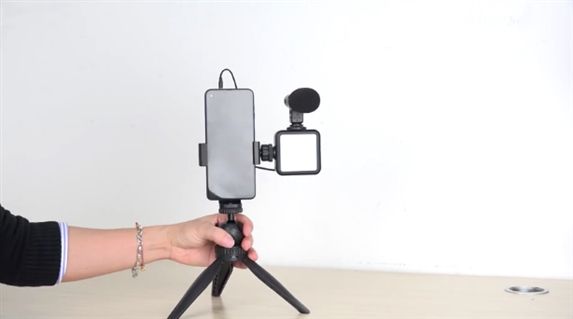
How to set up AIXPI vlog kit?
AIXPI Microphone LED Light Kit Mini Tripod has many functions. Such as fill light, photography, recording, etc. It is one of the most suitable devices for shooting vlog videos.
Product description
To distinguish each part of the AIXPI Phone Mini Tripod Video Kit. Do you know the function of each part of the AIXPI Video Microphone LED Light Kit Mini Tripod?
After getting the express package, first of all, we can take out every part of the AIXPI video kit and put it neatly on the table.
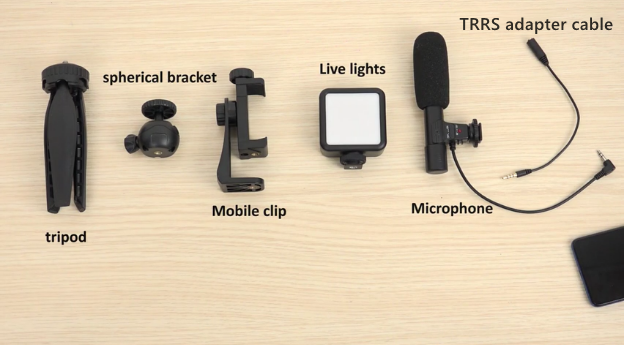
Now, we line it up on the table. From left to right is tripod, spherical bracket, Mobile clip, live light, microphone and TRRS adapter cable.
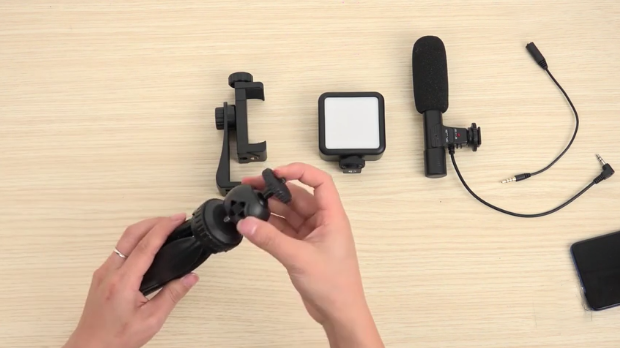
Take the tripod, attach it to the spherical bracket, and screw it tight. Then connect the mobile clip, it is the same method, connect the mobile clip with the tripod and then rotate and tighten it.
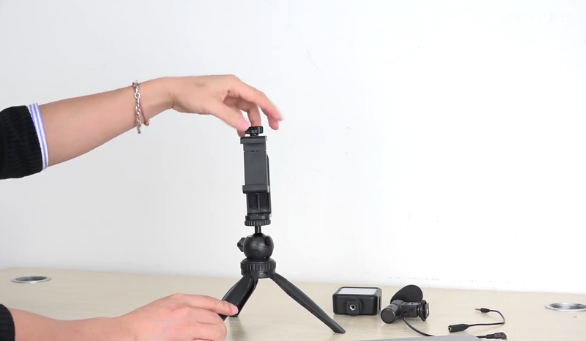
How to fix the phone in the kit?
After installing according to the above steps, put the mobile phone on the clip, which can be placed horizontally, and then rotate it to tighten, so that the mobile phone can be fixed.
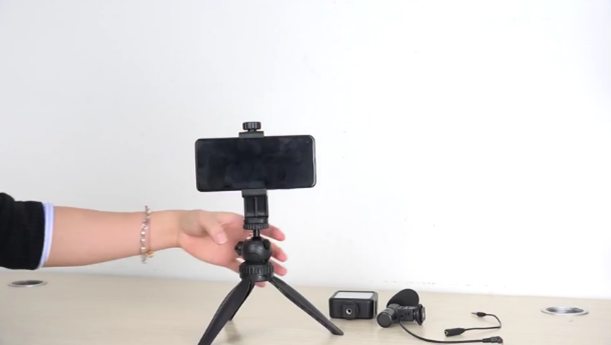
How to install the fill light?
After the phone is fixed on the tripod, take out the live light and place it on the mobile clip. The same steps are also used to fix the live light on the top by twisting and tightening.
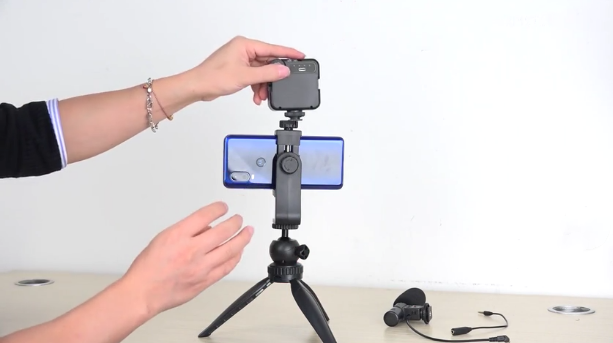
Where is the microphone fixed?
We can see that there will be a concave groove on the top side of the live light, which is actually used to fix the microphone. At this time, just put the microphone up and align the position. Then rotate the button at the bottom of the microphone to screw it in place.
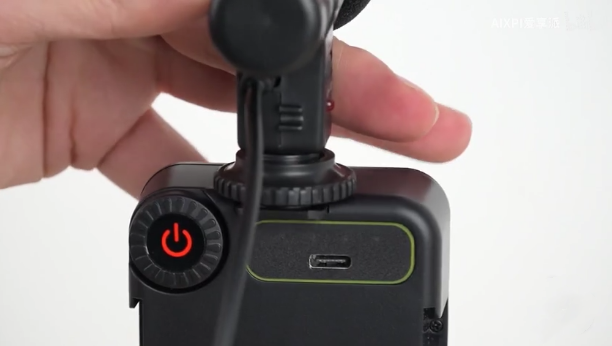
There is also a cable on the back of the microphone that connects to the jack of the phone, which is used to connect for recording.
Using the microphone is convenient for you to record sound when recording video. With the help of microphone, the radio effect is excellent and the quality of the recorded video is improved.
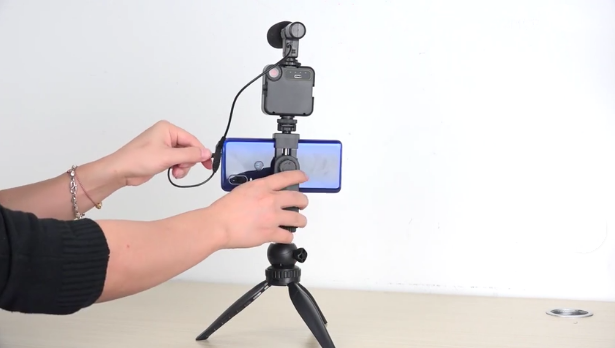
The microphone will help you control the volume.
When you need to record or speak, you don’t have to spend a lot of time on increasing the volume deliberately. So you will find it convenient and easy to use the microphone to record.
How to connect the microphone to the camera?
Connect the adapter cable to the cable that comes with the microphone, and connect the other end of the cable directly to the phone.
After the above steps, AIXPI video kit is installed, you can pick it up, the tripod is retractable, so you can directly and conveniently pick up the AIXPI Microphone LED Light Mini Tripod Video Kit.
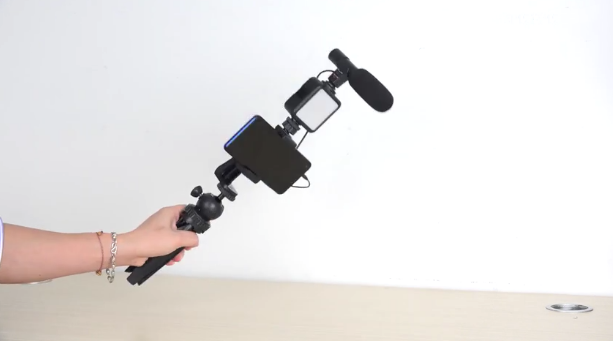
Mobile phones can be freely placed horizontally and vertically.
You only need to slightly adjust the direction of the phone clip to place the phone vertically.
There is a rotary
button on the back of the phone clip, you can loosen it by twisting it
slightly, and then adjust the direction.

Place the phone clip horizontally, and after adjusting the angle, tighten the rotary button at the back to fix it. Then adjust the rotary button next to the horizontally placed phone clip to place the phone vertically.
The fill light is also installed on the original position, and it can be fixed after it is fixed.